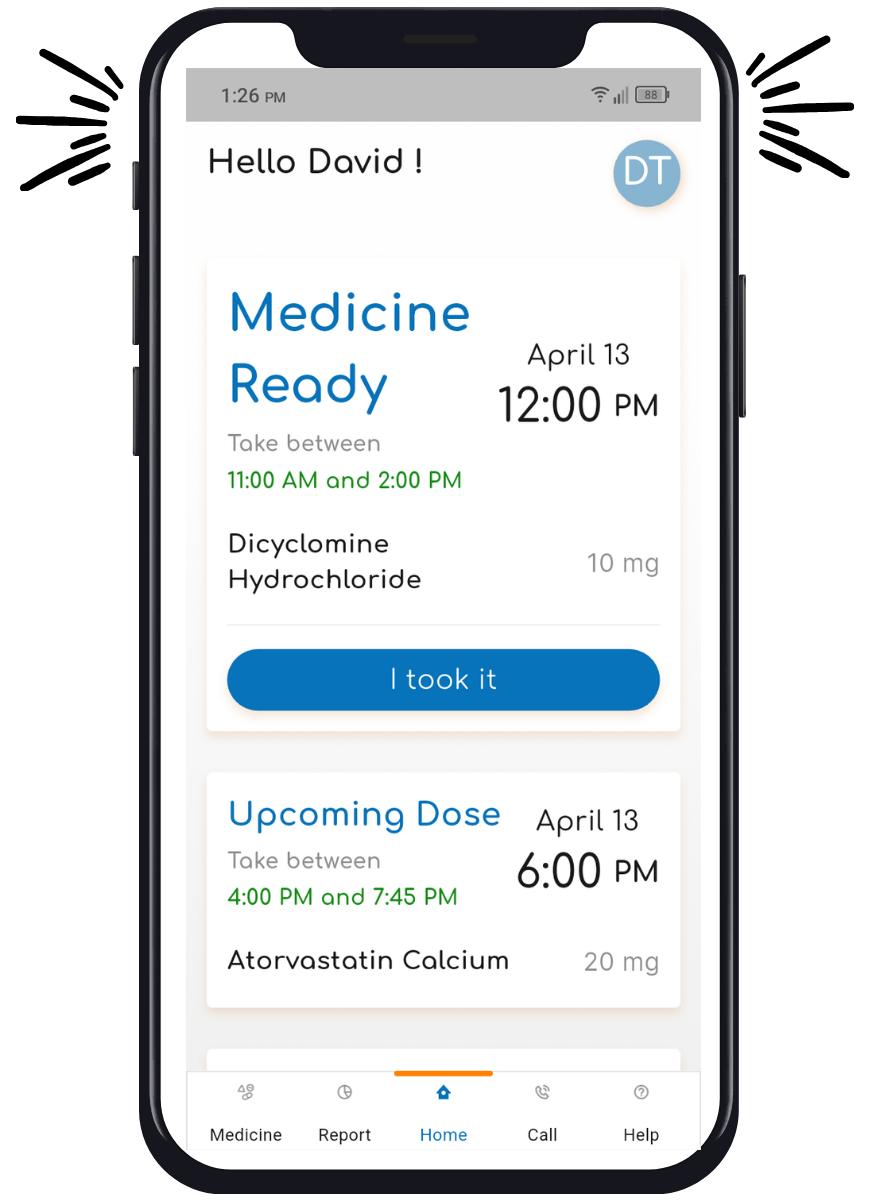
Understanding Your Dosing Window
Medsure Systems provides a helpful dosing window that aligns with your doctor’s instruction, allowing flexibility to fit your routine.
Notifications to Remind You
Your device will alert you with a notification sound during your scheduled dose time.
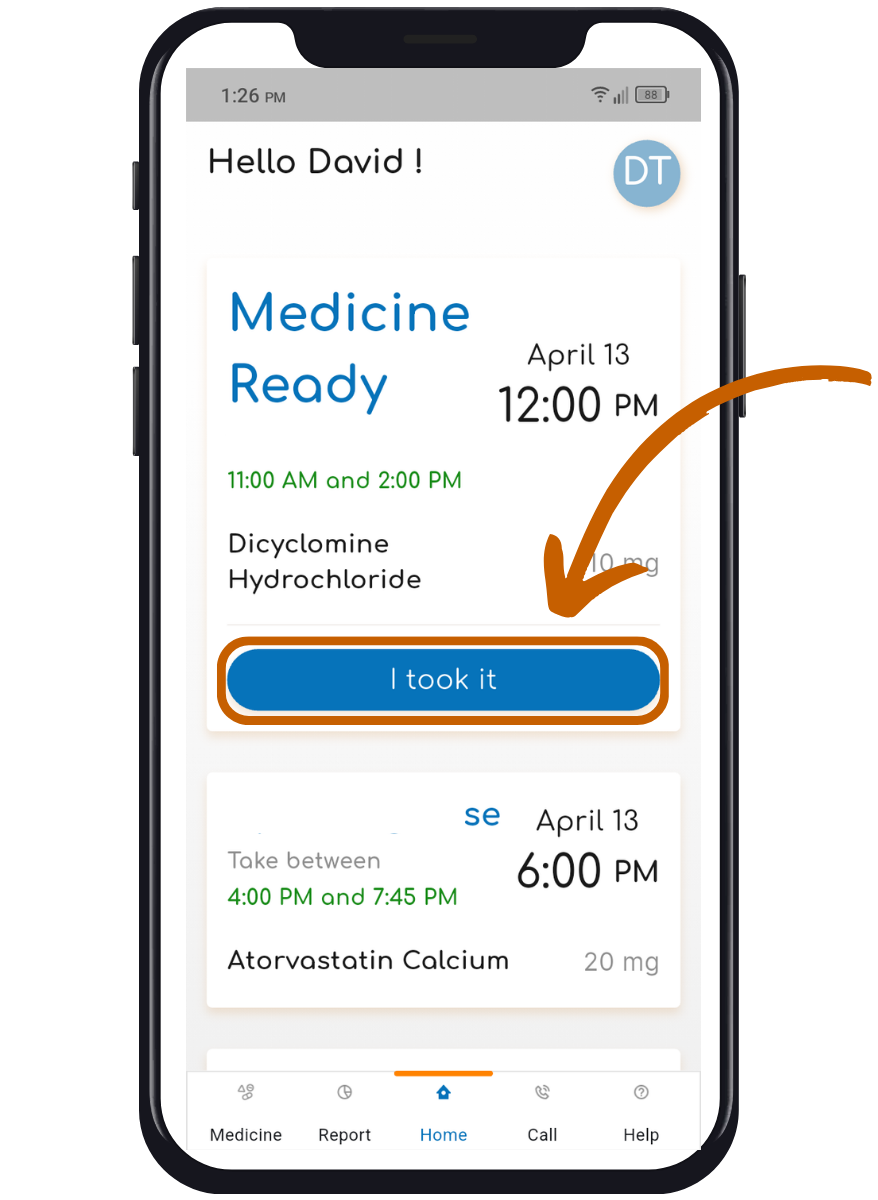
Tap to Confirm You’ve Taken Dose
Make sure you are on the home screen displaying your medication schedule and dosing windows. You can easily confirm whether you’ve taken your medication by selecting either ‘I took it’ or ‘I didn’t take it.’
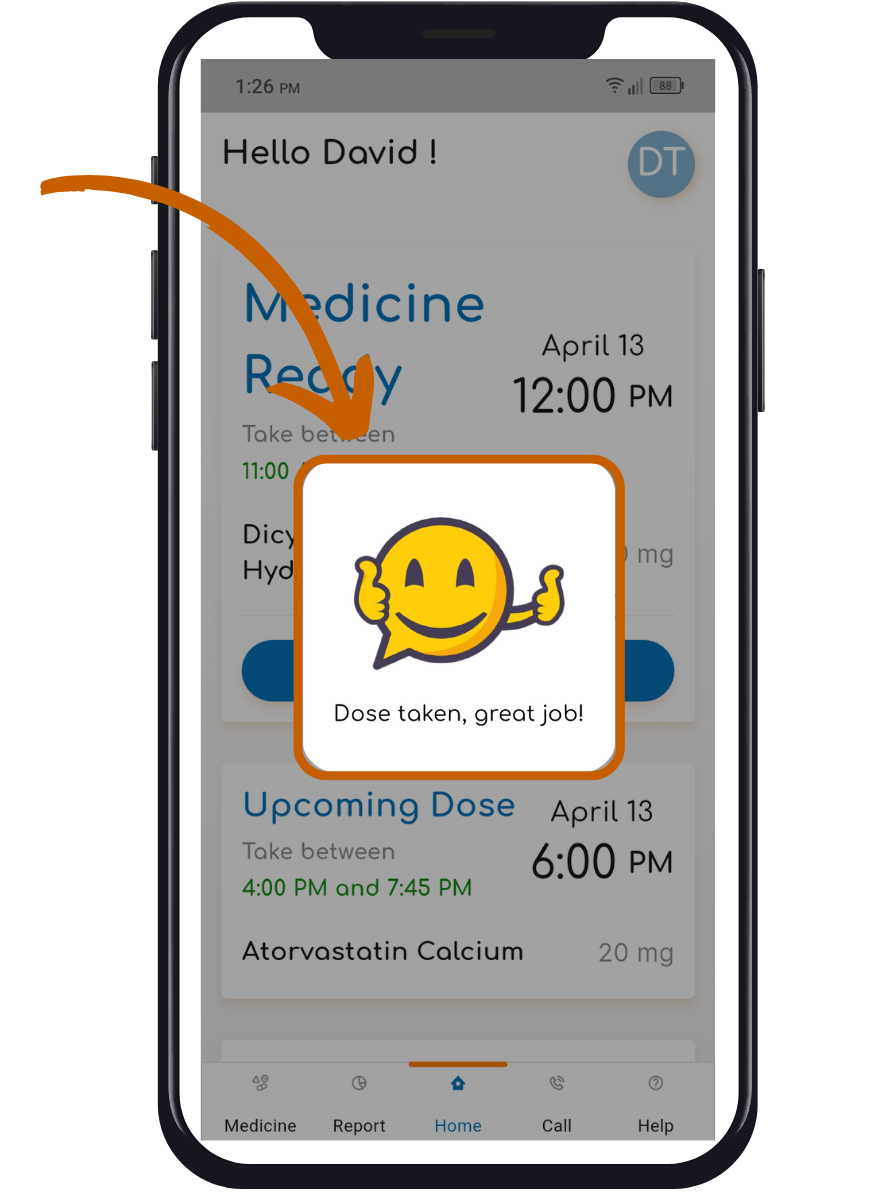
Smile = Success!
If you confirm that you’ve taken your medication, a smiley face will appear with the message: “Dose taken, great job!”
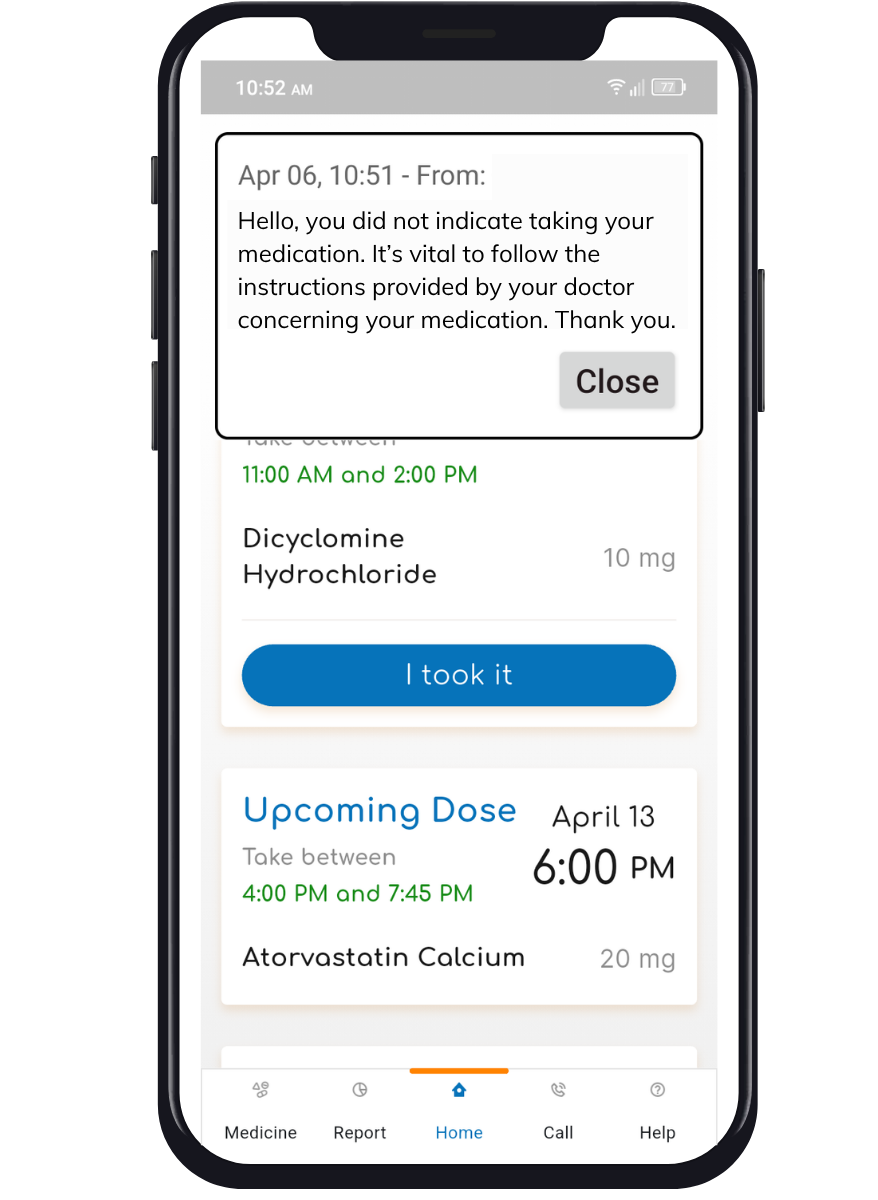
Friendly Reminder to Take Medication
If you don’t confirm taking your medication, you’ll get a friendly reminder as you approach the end of your dosing window.